UI Bug: Reloading show page duplicates rating badges and causes UI overlap in Seasons section
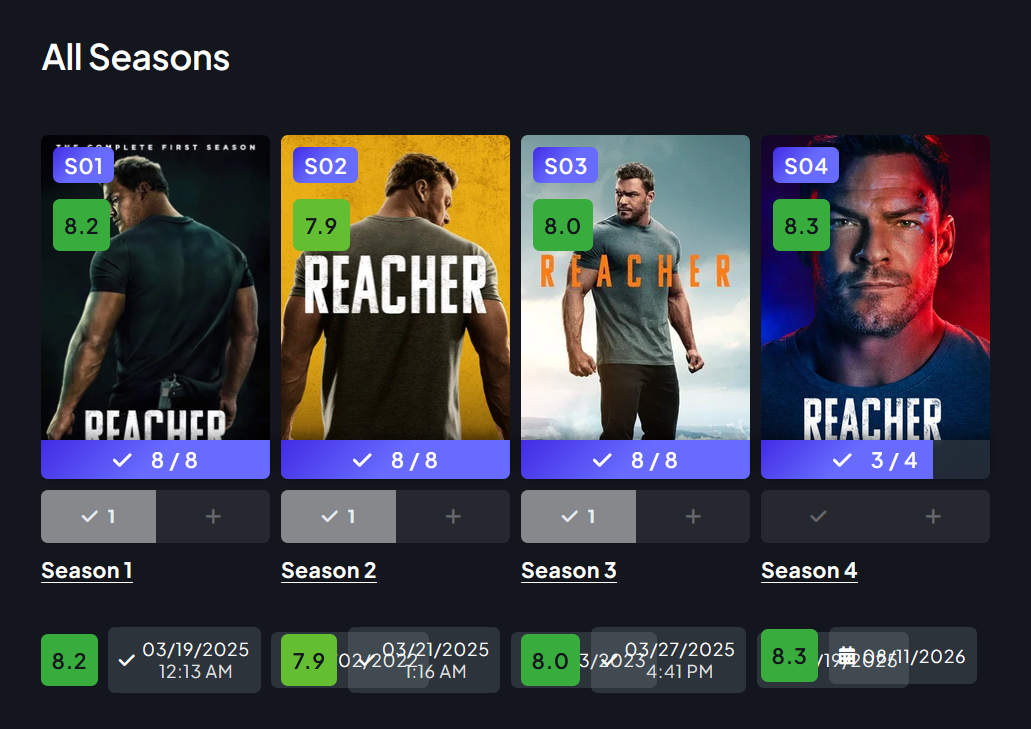
When reloading a show details page directly after a data refresh of a show (or triggering a data refresh of a show), season rating badges and release dates re-render in the wrong container, causing them to stack and overlap with the watch status footer elements.
Steps to Reproduce
Navigate to any show page from a separate page or menu (loads correctly).
Refresh the browser page, or trigger a "refresh data" action while remaining on the show page.
Scroll down to the All Seasons section and inspect the element rows beneath each season poster.
Bugged Display:
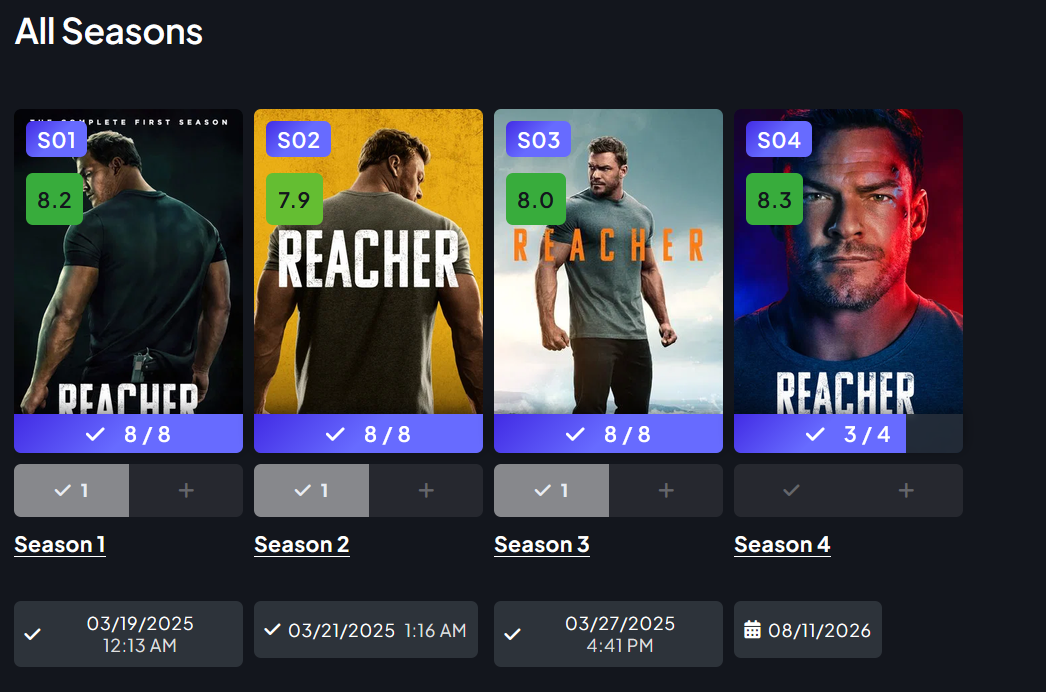
How it should normally look:
Status: Completed
Log in to comment and vote
No comments yet
Be the first to share your thoughts.